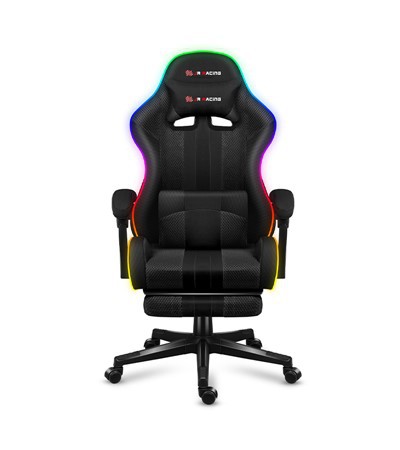
Hey there, fellow gamers! I'm a supplier of Mesh PC Gaming Chairs, and I know how crucial it is to have your chair adjusted just right for those long gaming sessions. Today, I'm gonna walk you through how to adjust the tilt of a mesh PC gaming chair.
First things first, let's talk about why adjusting the tilt is so important. When you're gaming, you're not always sitting upright. Sometimes you lean back to relax during a cut - scene or lean forward for intense battles. Having a chair with an adjustable tilt allows you to find the most comfortable position for your body, reducing strain on your back and neck.
Now, let's get into the nitty - gritty of how to adjust the tilt. Most mesh PC gaming chairs come with a tilt adjustment mechanism located under the seat. It usually looks like a lever or a knob.
Types of Tilt Adjustment Mechanisms
Lever - Based Tilt Adjustment
If your chair has a lever - based tilt adjustment, it's pretty straightforward. You'll typically find this lever on the side of the chair, near the front of the seat. To adjust the tilt, follow these steps:
- Sit in the chair and make sure you're in a stable position.
- Locate the tilt lever. It's usually easy to spot as it's often a different color or shape from other levers on the chair.
- Pull the lever up. This will disengage the tilt lock, allowing the chair to tilt back.
- Lean back to your desired angle. You can lean back as far as the chair's range allows. Some chairs can tilt up to 180 degrees, giving you a near - lying - down position.
- Once you've found your perfect angle, release the lever. The tilt lock will engage, and the chair will stay in that position.
For example, our Original Master Racing Chair uses this type of lever - based tilt adjustment. It's simple and intuitive, even for those who are new to gaming chairs.
Knob - Based Tilt Adjustment
Some chairs use a knob instead of a lever for tilt adjustment. The knob is usually located under the seat, near the center. Here's how to use it:
- Sit in the chair and reach under the seat to find the tilt adjustment knob.
- Turn the knob counter - clockwise to loosen the tilt mechanism. This will allow the chair to tilt.
- Lean back to your preferred angle. You can adjust the angle more precisely with a knob compared to a lever in some cases.
- Once you're happy with the angle, turn the knob clockwise to tighten the mechanism and lock the chair in place.
Our Gaming Chair With Headrest features a knob - based tilt adjustment, providing a smooth and accurate tilt adjustment experience.
Electric Tilt Adjustment
For those who want the ultimate in convenience, there are electric gaming chairs with electric tilt adjustment. These chairs are a bit more high - tech.
- First, make sure the chair is plugged in and powered on.
- There will usually be a control panel on the side of the chair or a remote control. Use the up and down buttons on the control panel or remote to adjust the tilt.
- Press the up button to tilt the chair back and the down button to bring it forward. You can stop at any angle you like.
- The chair will remember the last position you set, so you can quickly return to your favorite tilt angle next time you sit down.
Our Electric Gaming Chair offers this electric tilt adjustment feature, making it a great choice for gamers who want a hassle - free experience.
Fine - Tuning the Tilt
Once you've adjusted the basic tilt angle, you might want to fine - tune it for maximum comfort. Here are some tips:
- Recline Tension: Some chairs allow you to adjust the recline tension. This means you can make it easier or harder to lean back. Usually, there's a small knob or lever under the seat for this adjustment. Turning the knob clockwise will make it harder to lean back, while turning it counter - clockwise will make it easier.
- Lumbar Support: Adjusting the lumbar support can also affect your comfort when the chair is tilted. Make sure the lumbar support is at the right height and firmness for your back. You can usually adjust the height of the lumbar support by sliding it up or down, and the firmness by turning a knob.
Troubleshooting Tilt Adjustment Issues
Sometimes, you might run into problems with the tilt adjustment. Here are some common issues and how to fix them:
- The chair won't tilt: Check if the tilt lock is engaged. If it is, release the lever or loosen the knob as described above. If that doesn't work, there might be a mechanical issue. Contact our customer support team, and we'll help you diagnose and fix the problem.
- The tilt is too loose or too tight: If the tilt is too loose, it might be because the recline tension is set too low. Adjust the recline tension knob to make it tighter. If it's too tight, loosen the tension knob.
In conclusion, adjusting the tilt of a mesh PC gaming chair is not as complicated as it might seem. Whether you have a lever - based, knob - based, or electric tilt adjustment mechanism, following these steps will help you find the perfect tilt angle for your gaming needs.
If you're interested in purchasing a high - quality mesh PC gaming chair with easy - to - adjust tilt features, don't hesitate to reach out to us for procurement and further discussions. We're always ready to assist you in finding the best chair for your gaming setup.
References


- Personal experience as a Mesh PC Gaming Chair supplier
- Product manuals of Original Master Racing Chair, Gaming Chair With Headrest, and Electric Gaming Chair