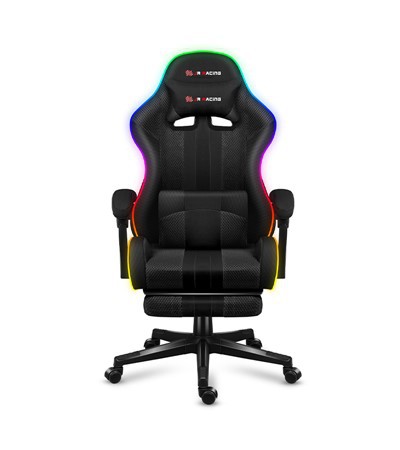
Hey there, fellow gaming enthusiasts! I'm a supplier of Gaming Chairs For Adults, and I know how important it is to keep your gaming chair in top - notch condition, especially when it comes to the reclining function. A smooth - reclining chair can significantly enhance your gaming experience, allowing you to relax and immerse in the game fully. So, let's dive into how you can maintain the reclining function of your adult gaming chair.
Regular Cleaning
The first step in maintaining the reclining function is regular cleaning. Dust, dirt, and debris can find their way into the moving parts of the reclining mechanism. Over time, this can cause the chair to recline less smoothly or even jam.
When cleaning, start by using a soft brush or a vacuum cleaner with a brush attachment to remove any loose dust and debris from the chair's frame and the reclining joints. For stubborn dirt, you can use a mild detergent diluted in water. Apply the solution gently with a clean cloth, and then wipe it off with a damp cloth. Make sure to dry the chair thoroughly after cleaning, as moisture can also cause rust and corrosion in the metal parts of the reclining mechanism.
Lubrication
Lubrication is key to keeping the reclining function working like a charm. Most gaming chairs have metal components in their reclining systems, and these need to move freely. Over time, friction can wear down these parts, leading to a rough or noisy reclining motion.
You can use a silicone - based lubricant on the moving parts of the reclining mechanism. These lubricants are great because they don't attract dust as much as oil - based ones. Apply the lubricant sparingly to the pivot points, hinges, and any other areas where metal parts rub against each other. After applying the lubricant, move the reclining mechanism back and forth a few times to distribute the lubricant evenly.
Check for Loose Parts
Periodically, you should check your gaming chair for loose parts. The constant movement of reclining can cause screws, bolts, and other fasteners to loosen. If you notice any rattling or a less - stable feel when reclining, it's likely that some parts have come loose.
Grab a basic toolset with the appropriate screwdrivers and wrenches, and go over the entire reclining mechanism. Tighten any loose screws or bolts, but be careful not to over - tighten them, as this can strip the threads or damage the parts.
Avoid Excessive Force
One common mistake many gamers make is using too much force when reclining their chairs. Pushing or pulling too hard can strain the reclining mechanism and cause premature wear and tear.
When reclining, do it slowly and gently. If you find that the chair is not reclining easily, don't force it. Instead, check for any obstructions or issues with the mechanism, such as stuck parts or excessive dirt.
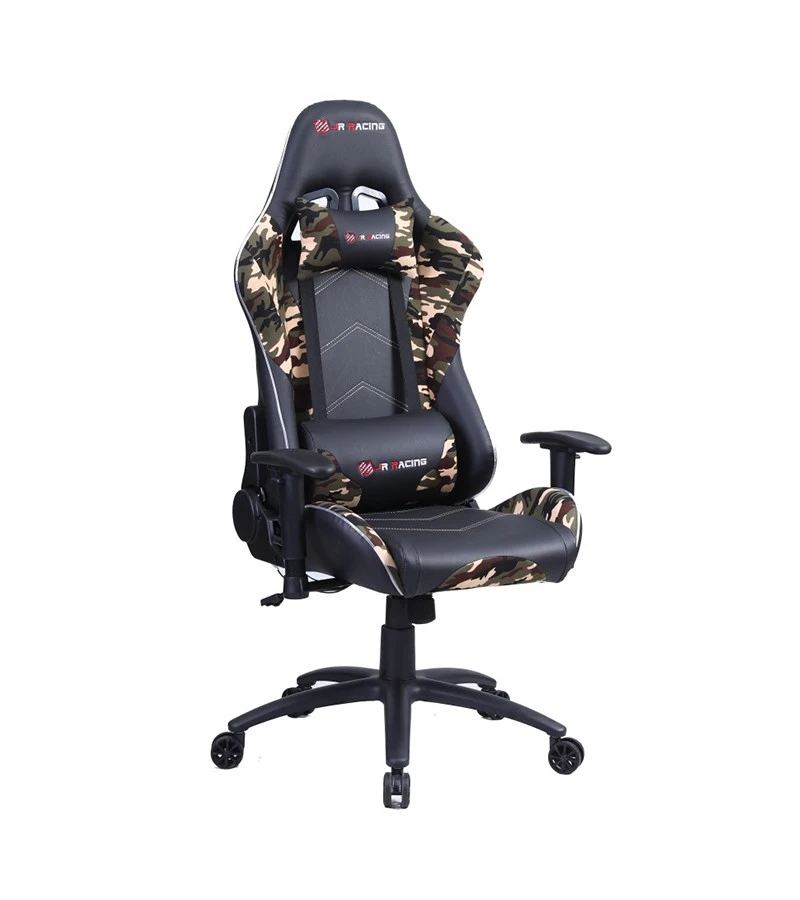
If you're on the market for a new gaming chair with a great reclining function, we've got some great options. Check out our Replacement Leader Racing Chair Leader. It's a high - quality chair that offers a smooth reclining experience. Also, our Big Gaming Chair is perfect for those who need a bit more space. And if you're into a more sporty look, the Racing Gaming Chair is a great choice.
Proper Storage
If you're going to store your gaming chair for an extended period, it's important to do it properly. First, make sure the chair is clean and dry. Then, recline the chair to its fully upright position and lock the reclining mechanism. This helps prevent any unnecessary stress on the mechanism during storage.

Store the chair in a dry and cool place. Avoid storing it in areas with high humidity or extreme temperatures, as this can damage the materials and the reclining mechanism.
Warranty and Professional Help
Most of our gaming chairs come with a warranty. If you encounter any issues with the reclining function that you can't resolve on your own, don't hesitate to reach out. We're always here to provide support and, if necessary, arrange for repairs or replacements under the warranty terms.
In some cases, you may need to seek professional help. If you suspect there's a major problem with the reclining mechanism, like a broken part, it's better to let an expert take a look. Professionals have the right tools and knowledge to diagnose and fix the issue correctly.
Maintaining the Seating Materials
The seating materials of your gaming chair can also affect the reclining function. For example, if the padding on the seat or backrest is too compressed, it can put extra pressure on the reclining mechanism when you try to adjust the position.
To maintain the seating materials, fluff up the padding regularly. If the chair has removable covers, take them off and wash them according to the manufacturer's instructions. This not only keeps the chair clean and fresh but also helps the padding retain its shape.
User Habits
Your own habits as a user can have a big impact on the reclining function. Try to avoid sitting on the edge of the chair or leaning too far to one side when reclining. These uneven weight distributions can put stress on the reclining mechanism and cause it to wear out faster.
Also, don't use the chair as a trampoline or put excessive weight on it. Our gaming chairs are designed for normal adult use, and exceeding the weight limit or using it in an improper way can damage the reclining function.
By following these tips, you can keep the reclining function of your gaming chair in excellent condition for a long time. Whether you're a casual gamer or a hardcore pro, a well - maintained reclining function means more comfort and better gaming sessions.
If you're interested in purchasing our Gaming Chairs For Adults or have any questions about maintaining your current chair, we're here to help. Just reach out to us, and we can start a great conversation about getting the best gaming chair experience. Let's make your gaming setup even better together!
References
- General knowledge about furniture maintenance and gaming chair design.
- Experience working as a Gaming Chairs For Adults supplier.